Loading

Loading
Just like onboarding, employee separation also creates an unforgettable experience.
With Zoho People, you can fully digitize and automate the exit process with relevant full and final documents.
Let employees submit their resignation on their portal and the manager will approve according to approval metrics in your organization. Customized workflows will send automated emails to the concerned parties as per the relevant timeline.

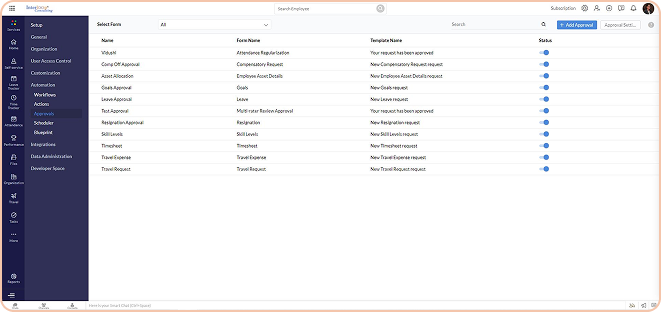
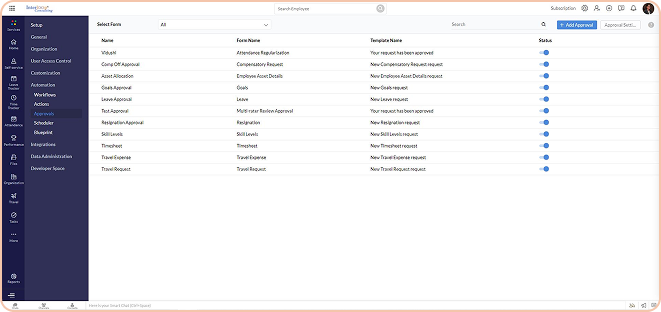
There is no need to email or paper resignation. An employee can submit their resignation in the portal. Tentative last working day is automatically calculated as per notice period policies.
Approvals will be automated. Based on approvals, workflows will be triggered for further processes. The final date of relief can be edited during discussion.
Employees will get a notification to initiate and complete their knowledge transfer. This will be further approved by their Line Managers or HoDs.
It will be sent to the employees to initiate their exit interview processes. Automated emails will be triggered to relevant departments to issue the clearance. Once the process is completed, an Experience letter or relevant documents will be emailed to the employee, closing the loop.
You can ask for customized form layouts for resignation requests, exit interviews and knowledge transfer to capture all relevant information as needed.
The manager will receive an email notification to check and approve the resignation request raised by the employee. Managers have a dedicated section to put their remarks. Hierarchical approval can be configured to meet organization policies.
Task Lists can be configured to relevant departments/persons to provide clearance to the existing employee. Once the attached tasks are completed by the task owners, the system will send an email to the HR department. Clearance Status will be auto-updated based on the Zoho People portal.
It can be downloaded and emailed at the click of a button. This can only be initiated post-approval and completion of the exit processes.
You can hit publish to make the course available for the learners to enrol and access the content. You can block the content as per date or you can keep them open to learners to go through at any point. Users can enrol for the course from the course catalogue and pursue them.
You can automate resignation, exit clearance and knowledge transfer in the exit module. Also if there is any additional requirement our team will be happy to take your requirement and customize the solution.
Contact us today to learn more about how we can help you achieve your business goals through strategic consulting and digital transformation.