Loading

Loading
For talent engagement, retention and management, LMS is crucial for creating a learning and development culture that promotes aligning the individual goals of all employees from the career development perspective to the organizational goals.
Zoho People helps in building a flexible and effective learning environment to enhance the knowledge of employees as well as have smooth onboarding, knowledge base creation, and getting insights from their learning patterns.
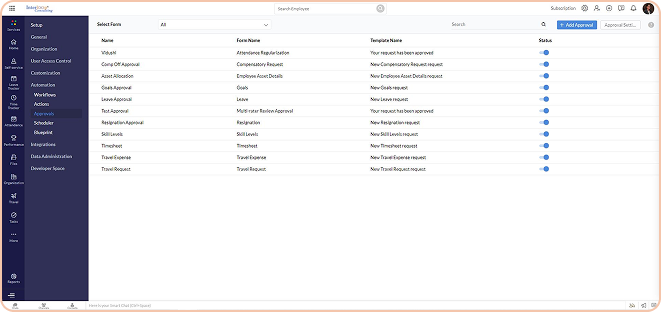
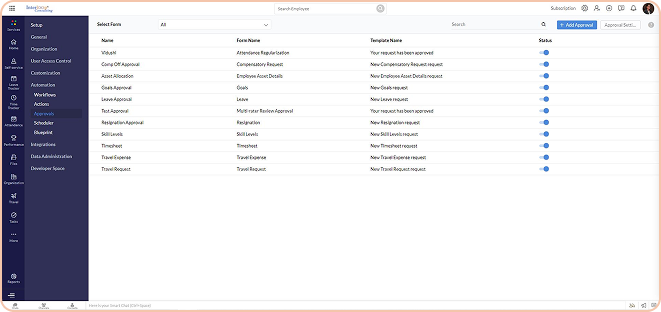
You can configure courses for various departments depending on the organization’s learning and development strategy. The course can be self-paced, blended or simple E-material. If it’s a blended course you need to create a batch with dates. Self-learning courses can be open for learning. You can use induction training programs and map them with the employee onboarding module. You can combine multiple courses and convert them into a learning plan for a specific employee and a set of employees.
It is broadly two-step configuring modules and each module can have various sessions attached to it. One training can have multiple modules for a structured learning process and outcome. You can conduct classroom sessions and Zoho People also gives you the power to conduct live sessions (webinars). You can also upload reading material in PDF and make it mandatory. Zoho People LMS supports video content so you can upload learning videos within the LMS module.
Add assignment and assessment for measuring learning outcome. You can pick from various types of questions like text, match the followings, hotspots, true or false and MCQs. You can also add a timer per question or for the full assessment make it an enhanced LMS tool. You can use this tool for succession planning, promotion, performance improvement training etc. You can enable file upload as part of the assignment submission. Also, you will have the flexibility to decide passing criteria to make a participant pass or fail.
You can configure the maximum and the minimum number of participants for any training batch that you have created. You can keep the training open for employees to join by themselves or you can nominate someone and make them undergo the training or learning plan. Participants can discuss the course on the discussion forum or make their notes in the notes section. Once the course is complete they can rate the trainer and the course. As an admin, you will be able to track their progress as well.
You can hit publish to make the course available for the learners to enrol and access the content. You can block the content as per date or you can keep them open to learners to go through at any point. Users can enrol for the course from the course catalogue and pursue them.
You get a couple of reports which suggest the status of each member enrolled in different programs, learner enrollments as well as feedback for all the courses from the employees.
Apart from the leave policies applicable to all, you can create new policies as per each employee if needed. You can also decide on leave count based on seniority.
You can create an approval mechanism for all kinds of leave requests replicating the structure that was being followed in your organization on Zoho People. As for new leave requests, you can define who approves which request and by what time.
In case, there are some leave types which if not approved by the concerned manager can henceforth be granted to the employee, it can be customized on this HR Leave management software. TAT settings are also available for the leave module.
For analysing the data retrieved from the entire workflow of the leave module on Zoho People, you can generate reports as per your requirements. This also helps in making course corrections in the leave module for a better flow of events.
How many leave types can we create?
Contact us today to learn more about how we can help you achieve your business goals through strategic consulting and digital transformation.